

About Super Smash Bros
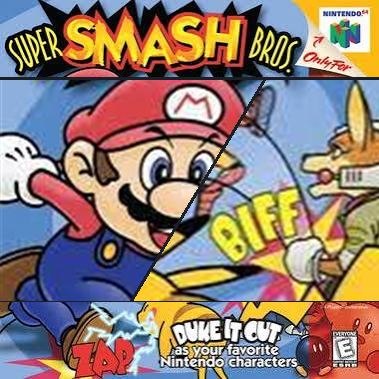
Super Smash Bros brings Nintendo characters into a fighting game built around platforms, jumps and dramatic launches. The central idea is to damage opponents and send them beyond the battlefield. A rising damage percentage makes a fighter increasingly vulnerable to being knocked away, so survival depends on position as well as attacks. Mario, Link and Pikachu are among the familiar faces associated with the original Nintendo 64 game. Their different movements and attacks make learning one fighter a useful starting point before comparing the rest of the cast.
This page opens the browser entry supplied at browsergames.ported2browser.app. Its runtime uses an N64 keyboard adapter and a WebAssembly game engine, with the game canvas displayed at a four to three aspect ratio. The surrounding site player has a wider frame, so space beside the image is expected. This is the supplied browser build, and its visible menus should guide your choices. Availability here does not establish that every option from a console release behaves identically in this version.
Understanding the battlefield
In Super Smash Bros, attacking and staying on the stage are connected decisions. Moving toward an opponent can create an opportunity, but it can also put your own fighter close to an edge. Keep an eye on the ground beneath both characters instead of watching only the damage numbers. A useful early goal is to remain aware of your landing position after each jump. Platform height and the direction of a hit can change which fighter has room to act next.
Think of the damage meter as information about danger rather than a conventional health bar counting down to zero. A fighter with substantial damage can remain in the match while still on the battlefield. Conversely, losing control near an edge can end an attempt even when the percentage looks manageable. For practice, try noticing whether a hit moves you toward the middle or away from safety. That observation helps explain why two apparently similar exchanges can have very different results.
Controls and first steps
Begin Super Smash Bros by selecting Play game, then allow the hosted engine and game data to load. Click inside the canvas before trying the game controls. The supplied entry installs a keyboard runtime and controller mapping scripts; use the instructions available inside this build to identify the active bindings. Console button labels are not necessarily keyboard keys. Do not assume that a control layout from a later series entry applies here, particularly when learning jumping, defensive actions and directional attacks.
Once a menu is available, take time to identify its selection and confirmation controls before choosing a mode. During your first playable encounter, practice moving a short distance and stopping, then try jumping and landing deliberately. Add attacks after you can follow your own movement reliably. A desktop keyboard is a practical starting setup for reading the interface and learning its mapping. The presence of controller code is not a completed test of a particular gamepad or touchscreen device.
Practice with a purpose
A useful Super Smash Bros practice habit is to keep one question in mind for each attempt. Can you land where you intended? Are you attacking while facing the opponent? Are you drifting toward the boundary while concentrating on damage? Choose one of these observations rather than trying to improve everything together. After a loss, recall the position that led to it and adjust your next approach. These are learning suggestions based on the platform fighting rules, not a report of a completed playthrough of this hosted version.
When returning to Super Smash Bros, use the same fighter for a few attempts so differences in movement do not obscure your progress. Explore other characters after you recognize your basic options. The site provides Reload and Fullscreen beneath the player, while game rules and menus remain inside the embedded runtime. Reloading starts another load and can discard unsaved progress. Check any progress information shown by the game before leaving; this page does not add a separate save system or promise persistent browser progress.