

About this browser version
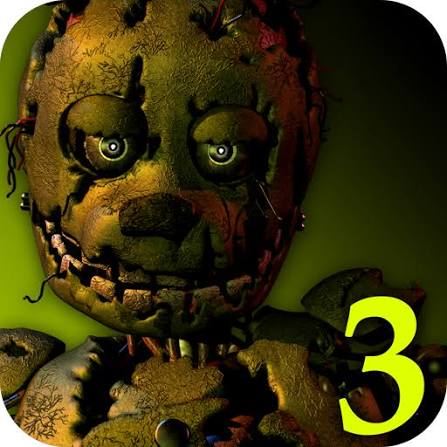
FNAF 3, short for Five Nights at Freddy's 3, brings a night watch setting to a browser game built with Scratch and packaged through TurboWarp. The supplied project contains an office, a camera map, ventilation controls, audio devices, maintenance screens and Springtrap encounters. Instead of moving freely around a large environment, you watch changing views and use the available panels to respond. The pressure comes from dividing attention between an approaching threat and equipment that can develop errors while the night continues.
This particular version is presented as Fnaf 3 v1 in its original runtime title. It opens a menu with New Game and Load Game choices. Its packaged stage is 480 by 360 pixels, and the picture keeps that original ratio inside the player. The project also includes phantom encounters, night and time indicators, and a six o'clock sequence. Those are features identified in the supplied project data; they do not establish equivalence with every release of the original game.
Getting started
Start FNAF 3 with the Play game button above, then let the warning screen and opening sequence finish. Read the warning before continuing: this version announces sudden jumpscares, disturbing imagery, loud sounds and flashing screens. Choose New Game when you want a fresh beginning. Load Game is also visible in the menu, but a menu label alone does not guarantee that an earlier session can be restored. Avoid relying on that option as your only record of progress.
When the office appears, take a moment to identify the camera and maintenance controls rather than opening every panel immediately. The project distinguishes an office view, a camera monitor and a maintenance monitor, with separate indicators for cameras, audio and ventilation. A useful first goal is to recognize which panel you are looking at and which system an error belongs to. That makes subsequent decisions easier to understand, even when you have not yet learned the whole map.
Cameras, audio and maintenance
The FNAF 3 project separates its normal camera map from a ventilation map. It contains camera views numbered from CAM01 through CAM15, a map toggle, vent sealing elements and a PlayAudio control. Treat these as distinct tools: inspecting a location, changing the map and selecting an audio action serve different purposes. Before committing to an action, look at the currently selected view and the information shown on the monitor. Repeatedly switching without observing the result can make it harder to track a changing situation.
Maintenance has its own screen and options, including camera, audio and ventilation reboot states. If an error appears, identify the affected system before choosing a response. As a learning approach, notice what information disappears or changes during a reboot, then compare the view after it finishes. This is a practical way to build a routine around the panels rather than assuming that every interruption needs the same action. Specific timing and a guaranteed winning sequence have not been established for this build.
Learning the controls
FNAF 3 includes clickable sprites for the camera button, maintenance button and menu choices. Use the visible controls as your starting point, and click inside the game if it needs focus. The game also contains mouse sensing logic, so pay attention to how the office and interface react to the pointer. No complete keyboard shortcut guide has been verified for this package. Follow instructions shown by the game rather than assuming keys from another version will perform the same actions.
For a first attempt, focus on learning one short cycle: inspect the office, check a useful camera view, recognize any system warning, then return to the information you need next. After a failed attempt, choose one observation to improve instead of changing everything at once. You might concentrate on recognizing a particular error or remembering the map layout. These are learning suggestions, not a claim that one fixed routine handles every night or encounter.
Local version and progress
This FNAF 3 version is hosted locally on this site, so its game pictures and sounds load with the player. Progress is not synchronized with the original online service, and no replacement saving feature has been added. Keep that limitation in mind before reloading or closing the page. A Load Game option may refer to progress available within the current session; its presence should not be taken as a promise that you can continue after returning another day.