




About GTA 3
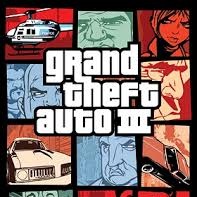
GTA 3, also known as Grand Theft Auto 3 or Grand Theft Auto III, follows Claude through the streets of Liberty City. Travel on foot, take a vehicle and work through story missions in a three-dimensional city where a simple journey can turn into an action sequence. Exploration gives you time to learn the streets between assignments, while missions give each trip a purpose. The appeal lies in switching between driving, navigating and reacting to trouble as the city becomes more familiar. Violence and criminal themes are central to the game.
This browser version opens with a screen titled III Web and three choices: Play Game, Save Manager and Mod Manager. Choose Play Game to begin a normal session; the other two screens are for managing files rather than selecting a mission. If you have played Grand Theft Auto 3 on another platform, start by checking the instructions in this version. Its menus and browser controls may differ from the edition you remember. Follow the prompts in the player when they differ from a console or desktop guide.
Starting the browser version
To open GTA 3, select Play game on this page and wait for the embedded start screen. The game has its own PLAY GAME button inside that screen. These are two separate steps: the first opens the player, and the second belongs to the game. Keep the tab open while the initial resources load. The entry includes a download progress display and a prompt reading CLICK ANYWHERE TO START. If that prompt appears, click inside the game area to continue rather than clicking the surrounding site toolbar.
Before setting off, click inside the game area so your input reaches the player. Check the options or introductory instructions for movement, camera, vehicle and interaction controls. Learn these actions separately before trying to combine them during a mission. If a key seems unresponsive, check whether a menu is open or focus has moved to the surrounding page. Choose a display size that keeps prompts readable, and use the site Fullscreen button when you want more room to see the streets and menus.
Finding your way through Liberty City
In GTA 3, learning the streets can be as useful as reacting quickly. During an early drive, notice junctions, landmarks and places where the road changes direction. When a mission gives you a destination, read the objective before accelerating away. Looking ahead makes it easier to choose an approach instead of turning sharply at the last moment. Try to separate learning a route from completing it quickly: a calm exploratory trip can reveal an easier way around a junction that felt awkward during an urgent assignment.
Keep your first goals in Grand Theft Auto 3 small: get comfortable entering and leaving a vehicle, identify your next destination, then practise switching between driving and walking. Leave speed for later, once those actions feel predictable. If you lose track of an assignment, pause to read the available instructions before continuing. Distinguish the destination you are heading toward from the task you need to complete when you arrive. Following one objective at a time makes it easier to understand what changed after a success or failure.
Driving and planning an approach
Give yourself room to brake and turn when driving in GTA 3. Approaching a corner at a manageable speed helps you see traffic and decide where to go next. A short, predictable route is often a better practice choice than a fast run through unfamiliar streets. Before leaving a vehicle, think about where it will stop and which direction you will travel on foot. These habits keep your attention on the next decision, instead of forcing you to recover from a rushed arrival.
For action sequences, read the immediate objective and observe the space before committing to a long movement. Look for a clear route toward your destination and a place to reassess. If an attempt fails, change one part of the approach so you can see whether it helped. Avoid assuming that a tactic or control from another Grand Theft Auto release transfers unchanged. Follow the instructions and feedback of the embedded version, especially when its interface differs from a guide written for another platform.
Managing a session
The GTA 3 entry exposes separate save and mod management screens. Inspect their instructions before importing files or removing data; a button labelled WIPE DATABASE or UNINSTALL ALL is not a routine step for starting play. The mod guide describes replacement assets and excludes script modifications, so those menus should not be treated as a promise that arbitrary desktop mods will work. You can begin with the normal game entry and leave these management options alone while learning the controls.
Before leaving GTA 3, use any save instructions provided inside the game. This site supplies an embedded player and navigation, rather than an additional save system. Reloading the player begins a new load and may discard unsaved progress, so use Reload only when you intend to restart the embedded session. Fullscreen gives the game more room on the display; Share copies or opens links to this information page. Neither toolbar action substitutes for the game menu or changes the objectives within Liberty City.