




About
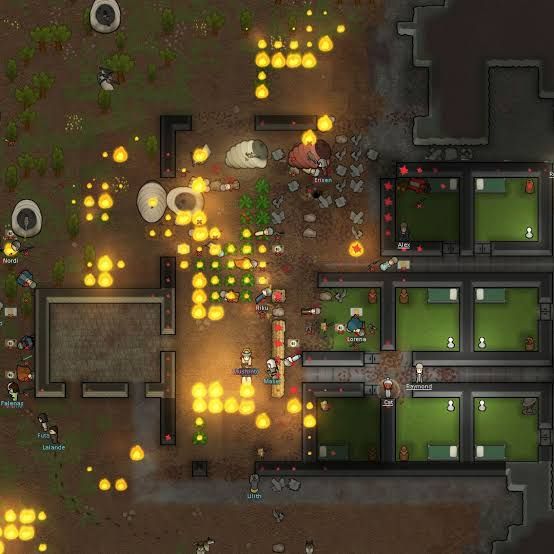
RimWorld is a science fiction colony simulation by Ludeon Studios in which everyday needs and unexpected events combine into a story about the people you manage. Building a settlement is only part of the challenge: residents have different abilities, relationships, injuries, and expectations. A useful plan must account for who can carry it out and what happens if someone becomes unavailable. The original game uses an AI storyteller to introduce events that put those plans under pressure. This page offers a third-party browser port; its loading notes below describe the version available here.
Choose one goal for your first session
Start with a modest question instead of trying to design a finished settlement immediately. Can you understand the needs of your starting group, identify a practical place to live, and keep a small plan moving? The RimWorld main menu offers Tutorial and New colony entries. Tutorial is a sensible starting point when the interface is unfamiliar; New colony is the route for setting up a colony yourself. Read the choices presented by the game before proceeding. Learning what a menu asks you to decide is useful progress even before you commit to a long session.
Read the people before assigning the work
The colonists in RimWorld are individuals, and their backgrounds affect the tasks they can perform. A capable specialist is valuable, but a plan becomes fragile when it assumes the same person can handle every urgent job. Before expanding, review the people available and consider who could cover essential work if someone is injured. Pay attention to needs and relationships as well as practical skills. A settlement that looks efficient on paper can struggle when its residents are unhappy or exhausted. Use the information shown by the game to understand the reason behind a problem.
Keep the first building plan manageable
Treat a compact settlement as a way to learn how your decisions connect. Give the group a few clear priorities, then watch whether the work actually moves forward. If several tasks compete for attention, reduce the plan until you can explain what must happen first. Before ordering another project, consider which existing need it serves and what labor it will take away from other work. This is a planning suggestion rather than a fixed building recipe: terrain, available supplies, and the people in a particular colony can make the same layout a very different commitment.
Trace a shortage back to its cause
When something stops working, look for the first missing step instead of adding more orders everywhere. Ask whether the problem is a lack of materials, a task nobody can perform, or too many jobs competing for the same person. Change one priority and observe the result before changing several more. This approach makes it easier to learn from the outcome, including an unsuccessful one. Keep your next objective small enough that you can recognize when it is complete. A clear explanation of one setback is more useful than a large settlement whose problems you cannot yet understand.
Use the menu and instructions to learn
Begin by clicking inside the player so that the game receives your input. The RimWorld title menu includes Options, which is the place to inspect the settings offered by this port, and Tutorial for an introduction. Follow instructions displayed by the game when learning its interface; this page does not assume that every desktop shortcut is available in the browser. If text feels too small, the Fullscreen button below the player can give the interface more room where your browser supports it. Keep the game's own menus separate from the site's Reload button, which restarts the entire player.
Loading this browser version
Press Play game to begin loading RimWorld. The initial download is about 457 MB, so allow time for the files and initialization to finish, especially on a slower connection. The loading bar reaching its end may be followed by another wait. This build can show a Could not initialize Steam API message during startup. Selecting Ignore continued to the main menu in the loading check. That message also states that Steam statistics and Steam features are unavailable. Choose Ignore only if you want to continue with those limitations; it is a game message inside the player.
About the port on this page
This RimWorld browser edition credits the port to sexyplankton and displays version 1.6.4850 in its main menu. It is an unofficial Unity WebGL port, rather than a release supplied by Ludeon Studios for this website. The menu loaded during the local resource check, although initialization also logged some definition loading errors. That check does not establish the behavior of a full colony or the recovery of a saved game. Keep those limits in mind before relying on the browser edition for a long campaign. The Steam Workshop and other desktop integrations should not be assumed to work here.