


About this version
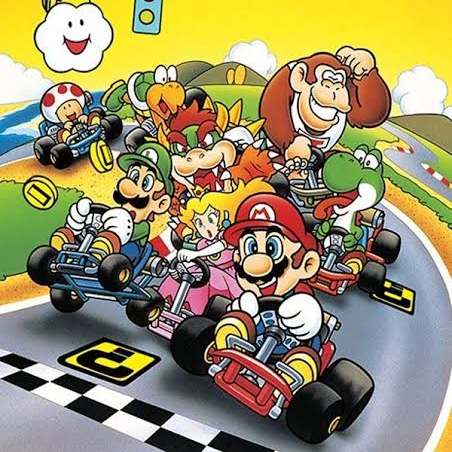
Super Mario Kart brings character racing, tight corners, and item decisions together on compact circuits. This page opens Super Mario Kart ZX, a fan remake of the SNES game, through the web port hosted by burnedpopcorn. The port credits GithubSPerez for the original source. It is a separate browser build, so features or records from a Nintendo release should not be assumed to carry over. The appeal is learning how a kart follows a bend while keeping enough attention on the track to react to other racers. Start with a simple goal: complete a controlled lap, notice where you leave the road, and improve that section on the next attempt.
Keyboard controls
Super Mario Kart's own startup screen shows the arrow keys for movement, X to accelerate, C to jump, Z to use an item, and Enter as Start. These are the browser build's displayed bindings, rather than the lettered buttons from a SNES controller. Click inside the game area before using the keyboard so the game can receive input. Keep one hand on the arrow keys and the other near X, C, and Z. The startup screen recommends a gamepad, but controller mapping and touch support have not been verified here. Read any later menu prompts before assuming a key also confirms or cancels a selection.
How to approach your first race
Select Play game above, wait for the control screen, and press Enter. To begin a Super Mario Kart practice run, choose Start Game, Single Player, and Time Trial, then select a driver and a course. Enter advanced through these selections in our browser check; the character screen asked for a second confirmation. We used Mario on Mario Circuit to check acceleration and steering, without completing the race. Once you reach a track, use a clear stretch to learn the response to short inputs. Watch the road ahead instead of concentrating only on the kart. On the opening lap, identify a corner that is easy to overshoot and a straight that gives you time to recover. Aim for a controlled lap before chasing a winning time.
Learning corners and the jump button
Begin a turn while you still have room to adjust, then ease out of the steering input as the exit comes into view. Holding a direction too long can turn one small mistake into another correction on the following straight. If the same corner keeps causing trouble, change one thing on the next lap: where you begin steering, how long you hold the direction, or when you release the accelerator. Keep the rest of the approach similar so you can judge the difference. Try the displayed jump action on an open stretch before combining it with a difficult bend. Advanced drift timings from other Mario Kart releases may not match this remake.
Items and nearby racers
Items in the original Super Mario Kart come from question blocks on the course. Their purposes differ: a banana creates a hazard, shells threaten other karts, and a mushroom provides a temporary speed increase. Use that as a starting point for recognizing what the remake presents, then check the actual result rather than assuming every original rule is reproduced exactly. The browser control screen assigns item use to Z. Before pressing it, identify the held item and consider the road ahead. A narrow bend and an open straight present different opportunities. Keep steering through the exchange; watching an item for too long can cost the line you were trying to protect.
Making a useful practice session
A useful Super Mario Kart practice session focuses on one driver and one course long enough to recognize repeated mistakes. If you choose Time Trial, use the visible timer to compare complete runs rather than judging progress from a single fast corner. In a race with traffic, note whether a lost position came from your own turn, contact with another kart, or an item. Those problems need different responses. Pick one target for the next attempt, such as avoiding an unnecessary correction on a straight or leaving a difficult bend aligned with the road. Consistent laps give you a clearer basis for changing drivers or trying another course later.
Web port notes and known issues
The provider labels its initial web release as a proof of concept. Its published issue list reports that leaving a course can make the following screen appear black. It also reports a restart option appearing in Grand Prix even though that option is intended for Time Trial. Avoid relying on that Grand Prix restart behavior. If you encounter a black screen after quitting, the Reload control below the player can start the embedded page again, but it may discard session progress. Complete races, sound, saved records, multiplayer, and mobile input remain unverified. Check any save or record behavior during a short session before depending on it.