

About the sandbox
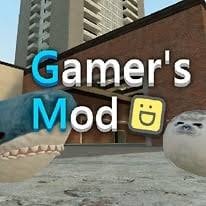
Gamer's Mod is a first-person physics sandbox built around exploring three-dimensional spaces and arranging objects. Its appeal is experimentation: put something into the world, move it, and see how your arrangement behaves. You can treat a small scene as a personal building exercise rather than rushing toward a particular score. The browser version offered here comes through the supplied Pizza Edition player. It should not be confused with a promise that every feature, workshop item or modification from another similarly named sandbox is available here.
For a first session, set yourself a modest creative goal. A display of three objects, a short obstacle arrangement or a carefully balanced stack gives you something concrete to evaluate. Decide what you want the scene to look like before adding more pieces. This makes it easier to recognize a successful adjustment and avoids turning your first few minutes into a search through objects without a plan.
Choose an input mode
Gamer's Mod offers a control selection screen. On a desktop computer, choose Keyboard/mouse; an on-screen joystick indicates Touch control instead. The keyboard layout uses WASD for movement and the mouse for looking around. Space jumps, Shift runs, and Z crouches. Click inside the game before trying movement so that keyboard input reaches the player. These controls are documented by the provider; touch and controller behavior have not been checked here.
As a learning exercise, move through a clear area before opening the object menu. Turn slowly, stop near a recognizable landmark and return to your starting point. Being able to judge your position matters when you later move a prop toward a wall or place it above another object. If movement feels confusing, revisit the selected input mode before changing several other settings at once.
Build a first scene
Start Gamer's Mod in Sandbox and choose a map. Q opens the spawn menu. With the physics gun selected, hold the left mouse button on a prop to pick it up. The wheel changes its distance, E rotates the held prop, and the right mouse button freezes it. V enables flight in Sandbox, giving you another viewpoint on your arrangement.
Try a short practice sequence: choose one prop, lift it, adjust its distance and place it somewhere you can inspect from two sides. Then repeat with a second object. Keep the scene simple enough that you can tell which adjustment caused a change. This is a suggested exercise, not a required mission or a guaranteed way to complete any other game mode.
Positioning and observation
Building in Gamer's Mod rewards deliberate observation. Before placing another piece, walk around the current arrangement and check whether it looks right from the side as well as the front. A placement that seems aligned from one angle can look very different from another. Use a nearby edge or another clear feature as a visual reference instead of relying entirely on the position of the crosshair.
When practicing a stack, change one thing per attempt. You might keep the same objects and alter only their spacing, then compare the result. If you change the object, angle and height together, it becomes harder to learn which choice mattered. Freeze a piece once you are satisfied with its placement, and leave yourself enough open space to approach the next part of the scene comfortably.
Experiment at your own pace
A useful way to enjoy Gamer's Mod is to alternate between making and inspecting. Spend a little time arranging a scene, then pause construction and look at the whole composition. Ask whether the next object will add something you actually want. This keeps a small experiment understandable and gives each session a direction without imposing a checklist on an open-ended game.
Before reloading or leaving, assume that an unfinished arrangement may be lost unless the game explicitly tells you otherwise. Persistent saves and feature parity with other releases are not established here. The page provides a browser entry to this particular version, while your first visit can remain a simple exercise in movement, object placement and learning how the physics tools respond.