

Game information
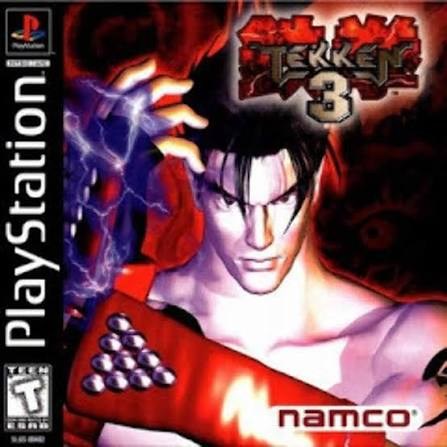
Tekken 3 is a 3D fighting game developed and published by Namco. It first appeared in arcades in 1997, followed by the original PlayStation edition in 1998. The browser entry here runs the PlayStation game through an emulator. Its defining idea is direct control of four limbs: two punch buttons and two kick buttons combine with directional inputs to produce each fighter’s attacks. Movement also extends into the foreground and background through sidesteps.
A round ends when one fighter’s health reaches zero, or when the timer expires and the fighter with more health remaining wins. The original rules use a default timer of 40 seconds, adjustable in Options. A match requires the configured number of round wins. The cast offers different approaches, including Jin Kazama’s karate, Hwoarang’s taekwondo, Eddy Gordo’s capoeira and King’s wrestling. Their command lists are individual, so a sequence learned for one fighter should not be assumed to work for another.
Story and tournament background
The story of Tekken 3 follows the disappearance of martial artists after Heihachi Mishima’s forces encounter Ogre. Jin Kazama, the son of Kazuya Mishima and Jun Kazama, tells Heihachi that Ogre attacked his mother and she vanished. Heihachi trains his grandson in Mishima fighting karate while pursuing his own interest in Ogre’s power. Four years later, he organizes the third King of Iron Fist Tournament, intending to use Jin to draw Ogre out.
Jin enters with revenge in mind, but the tournament attracts fighters with other ambitions. Hwoarang wants to settle his rivalry with Jin and avenge his mentor Baek. Xiaoyu hopes her success will persuade Heihachi to build her an amusement park. These motives give the roster context without requiring you to learn the whole family history before playing. Arcade progression provides a straightforward way to meet opponents and follow your chosen fighter’s route.
Keyboard controls for this player
The current Tekken 3 player uses these default keyboard bindings: arrow keys for the directional pad; S for Square, or left punch; A for Triangle, or right punch; X for Cross, or left kick; and Z for Circle, or right kick. Enter maps to Start, used to begin, confirm mode selection and pause. V maps to Select. Click inside the game area first so keyboard input reaches the player.
These defaults come from the hosted emulator configuration and the PlayStation core’s button layout. Saved emulator mappings or the game’s own Key Configuration can change the result. Open Control Settings if your keys differ. Some emulator labels use generic controller letters: its Y corresponds to Square, X to Triangle, B to Cross and A to Circle. For attacks, use the console symbol and limb as your reference rather than confusing those labels with keyboard letters.
Choose a mode and learn the arena
After loading Tekken 3 with Play game, use any additional START GAME prompt inside the emulator. At the game title screen, press Enter to open mode selection. Choose Practice to rehearse with a selected fighter and opponent, or Arcade to face the computer in a sequence of matches. In the original character selection screen, Square confirms the first costume and Cross selects the alternative costume; with unchanged keyboard defaults, those are S and X.
The PlayStation game also includes Survival, Time Attack, Team Battle and the scrolling Tekken Force mode. Start with Practice when learning commands, then Arcade when you want opponents that respond. During an Arcade fight, the pause menu’s Command option shows the current character’s move list. Use it to check the selected fighter instead of importing commands from a later sequel. Multiplayer availability in this browser player is separate from the original console’s mode list.
Guarding, spacing and throws
Forward means toward the opponent and back means away, so left and right reverse when the fighters exchange sides. Hold back to guard against high and middle attacks. Hold down and back for a crouching guard against lows; crouching avoids many high attacks but loses to middle attacks. Avoid treating crouching as a permanent defensive stance. Watch which attack is coming, then choose the appropriate guard.
A quick up or down tap followed by neutral produces a sidestep. Use it to change the angle against straight attacks, then check your new position before retaliating. At close range, basic throws use left punch plus left kick, or right punch plus right kick: 1+3 or 2+4 in common notation. With the default keyboard mapping, these become S+X or A+Z. Press the pair together rather than one after the other.
Jin combinations and input notation
For Tekken 3 move notation, 1 means left punch, 2 right punch, 3 left kick and 4 right kick. Commas separate successive inputs; a plus sign joins buttons pressed simultaneously. Start with Jin’s 1-2 Knee Kick: 1,2,4, or Square, Triangle, Circle. On the default keyboard, press S, then A, then Z. Practice the rhythm as a short sequence and watch the full animation before repeating it.
Jin’s 3-Ring Circus uses 1+4,2,4: press Square and Circle together, then Triangle, then Circle. The keyboard equivalent is S+Z, then A, then Z. Learn the opening simultaneous press separately before adding the remaining attacks. These are character strings listed in the original manual; listing a string does not mean every hit is guaranteed against a defending opponent. Check whether your opening connects or is guarded before relying on the complete sequence.
Turn a move list into a practice routine
Use Practice to separate execution from tactics. First perform each short string while standing still, then repeat it after stepping into range. If an input produces the wrong move, check whether a direction was still held or two intended simultaneous buttons arrived separately. For a launcher and airborne follow-up, learn the launch on its own before adding a short follow-up from the selected fighter’s command list; distance and timing affect whether the next attack reaches.
When a string is blocked or misses, resist repeating it immediately. Return to guard, observe the opponent’s response and look for an opening after a missed attack. This is a practice approach, not a guaranteed counter. Build consistency with one short sequence, a standing guard, a crouching guard and a basic throw before attempting a long command list. You will learn more from recognizing which part failed than from increasing the number of buttons pressed.