
About GTA 5
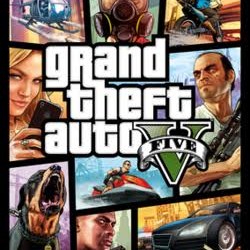
GTA 5, also known as Grand Theft Auto V, brings driving, on-foot action and exploration into the world of Los Santos and the surrounding countryside. The original game's story follows Michael, Franklin and Trevor through criminal jobs and the consequences of their choices. Missions give the journey a direction, while the open world allows time between objectives to explore roads and neighbourhoods. The setting combines dense urban streets with wider routes beyond the city, so choosing a vehicle and learning where you are going both matter. Violence and criminal themes are central to the game.
This GTA 5 page links to the browser build hosted at playgta5.com. Its entry offers Story Mode, Sandbox Mode and a Multiplayer menu, with map choices inside the sandbox selection. These labels describe the entry's available options; they do not establish that every feature matches a desktop or console release. Use the instructions shown by this particular build when they differ from a guide for another edition. Start with the mode that matches your immediate goal: following a sequence of story objectives or exploring a sandbox without first working through that introduction.
Choosing a starting mode
Select Play game here to open playgta5.com in a new tab, then use the controls inside the GTA 5 loading screen to choose a mode. Enter selects Story Mode. The entry's configuration describes this option as starting a new game from the Prologue. This makes it a useful starting point when you want an introduction with objectives rather than an unfamiliar location to explore independently. Read each instruction as it appears, and allow the scene to establish what action is expected before trying unrelated shortcuts. The buttons on this information page provide sharing and navigation; mission controls belong to the provider's game.
Space selects Sandbox Mode and opens the map choice. Press 5 for the GTA V map or 6 for the option labelled GTA VI Map; Backspace returns to the previous choice. The entry's source identifies the latter as an env_test level, so that label should not be read as a promise of the complete Grand Theft Auto VI game. The GTA V sandbox configuration starts free roaming at a random location with weapons available. Choose it when your first aim is to inspect the environment rather than begin the Prologue.
Keyboard and mouse
The GTA 5 entry accepts clicks on its mode buttons as well as the keyboard shortcuts displayed beside them. Click inside the game area before using the keyboard, especially after copying a link or interacting with the site's navigation. Its input code requests pointer lock when the canvas is clicked, which allows relative mouse movement for the game camera. Follow the browser's instructions for releasing the pointer when you want to use the surrounding page again. Consult the game's own prompts for movement, vehicles and actions as those become relevant.
For aircraft and submarine inputs, this browser build includes letter-key alternatives to several number-pad controls. I and K map to number-pad 8 and 2 for pitch; J and L map to number-pad 4 and 6 for roll. U and O map to number-pad 7 and 9 for target selection. These mappings come from the entry's input code and are useful when your keyboard lacks a separate number pad. They are specific to this build and do not replace the rest of the control instructions shown during play.
Exploring and following objectives
When starting GTA 5 in an unfamiliar area, take time to identify the nearby roads before travelling quickly. A junction that seems straightforward on a map can be harder to negotiate at speed with traffic around it. Practise braking and turning on a short route, then extend the journey as the camera and vehicle controls become familiar. Switch attention between the immediate road and the destination instead of fixing on either one continuously. In a story sequence, read the current objective again when the scene changes or a new instruction appears.
Keep exploration and mission progress as separate immediate goals. During a mission, concentrate on the destination or action the game currently requests; during free roaming, use a short journey to learn the surroundings without assuming it advances the story. The Multiplayer menu lists server choices, but this site's entry does not provide a separate account system or a replacement for that menu. Select a mode within the game itself. Server availability and the behaviour of a session depend on the provider, and a visible server choice alone is not evidence that a connection has succeeded.